01
Multi-Factor Authentication Setup
Secure your accounts with multi-factor authentication to add an extra layer of protection.
securityauthentication
I help you secure your cloud services with simple and effective two-factor authentication solutions.
My practical approach ensures your cloud services are safe and secure with two-factor authentication.
★★★★★ 4.9/5 client rating

Trusted by 20+ brands for premium digital services







I help businesses secure their accounts with two-factor authentication. My hands-on experience allows me to guide you through setting it up simply and effectively.
I have practical knowledge gained from years of experience in digital security.
I ensure your accounts are safer by setting up two-factor authentication tailored to your needs.
You can trust me to take care of your security needs because I genuinely care.
I know that setting up security can be frustrating. My goal is to make it easier for you.
With my help, you can feel confident that your accounts are protected and that you are not alone in this process.
Visit nowAsk ChatGPT, Claude, or Perplexity to review your requirements with Usman Jatoi's stack.
Custom workflows, performance tuning, full SEO/GEO foundations, conversion optimization & analytics.
Enhance your security with robust solutions
Secure your accounts with multi-factor authentication to add an extra layer of protection.
Implement risk-based authentication to ensure only trusted users access sensitive information.
Use mobile devices for authentication to keep your applications secure and user-friendly.
Educate your team about security best practices to minimize risks and enhance compliance.
Manage and secure passwords effectively to prevent unauthorized access to your accounts.
Be prepared with emergency response services to quickly address any security breaches.
Tools and platforms
I choose tools around your requirements, existing systems, security needs, and ability to maintain the result.





Our process is designed for one thing: results. Proven strategy and careful execution keep every decision and delivery step visible.
Visit nowI will help you evaluate your existing cloud security setup to identify vulnerabilities.
Together, we will create a complete security plan that meets your specific business requirements.
I recommend setting up multi-factor authentication to enhance access security and protect data.
Selected work
Brand, product, website, and creative work drawn from the original service-page portfolio.
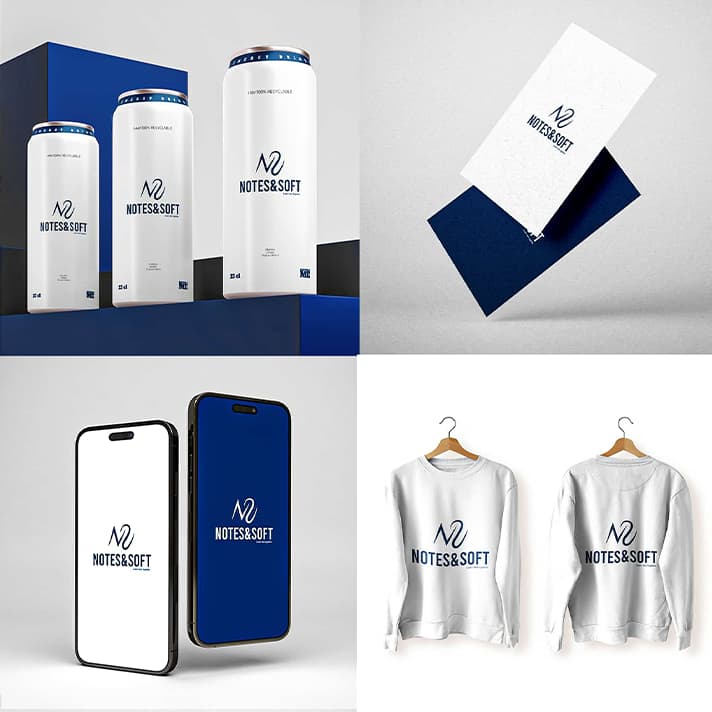



These are uncommon situations that may cause short service delays. They are shared openly for full transparency.
Important family responsibilities can occasionally move a meeting or milestone.
Get expert advice and customized solutions for your project. No pressure, just useful next steps.
Achievements that tell the real story.






Delivering projects worldwide with clients across top countries. Geography is never a barrier.
 Australia
 Canada
 France
 Germany
 United Arab Emirates
 United Kingdom
 United States
 India
India Japan
Japan Singapore
Want to hire an agency?
From marketing to automation, technical development to management, creative design to operations, Redsglow delivers it under one roof.
Visit RedsglowTwo-factor authentication, or 2FA, is an extra layer of security that requires not just a password and username but also something that only you have on hand, like your mobile phone.
Using 2FA significantly reduces the chances of unauthorized access to your accounts. Even if someone gets hold of your password, they won’t be able to access your account without the second factor.
When you log in to your account, after entering your password, you’ll receive a code on your mobile device. You need to enter that code to gain access.
Absolutely! Most platforms provide straightforward steps to enable it. I can guide you through the process if you need help, my friend.
If you lose your phone, you can often use backup codes provided during the setup process. These codes allow you to access your account even without your mobile device.
Many services offer 2FA, but not all. It’s a good idea to check the security settings of each platform you use and enable 2FA wherever possible.
While it greatly enhances security, no system is completely secure. It’s important to combine 2FA with other good security practices, like using strong passwords.
If you forget your password, you can usually reset it through the service's recovery process. Just make sure you have access to your recovery options.
Most services allow you to use free apps like Google Authenticator or Authy for generating codes. You can also receive codes via SMS.
By adding another step to the login process, 2FA helps protect your sensitive data from being accessed by anyone who shouldn’t have access, which is crucial for SaaS services.
Yes, you can usually disable it in your account settings, but I wouldn’t recommend it unless you have a solid reason. Keeping it on adds an extra layer of protection.

I believe in collaborating with smart, diverse, and creative people, then giving them the clarity and room to do excellent work.
Usman Jatoi